
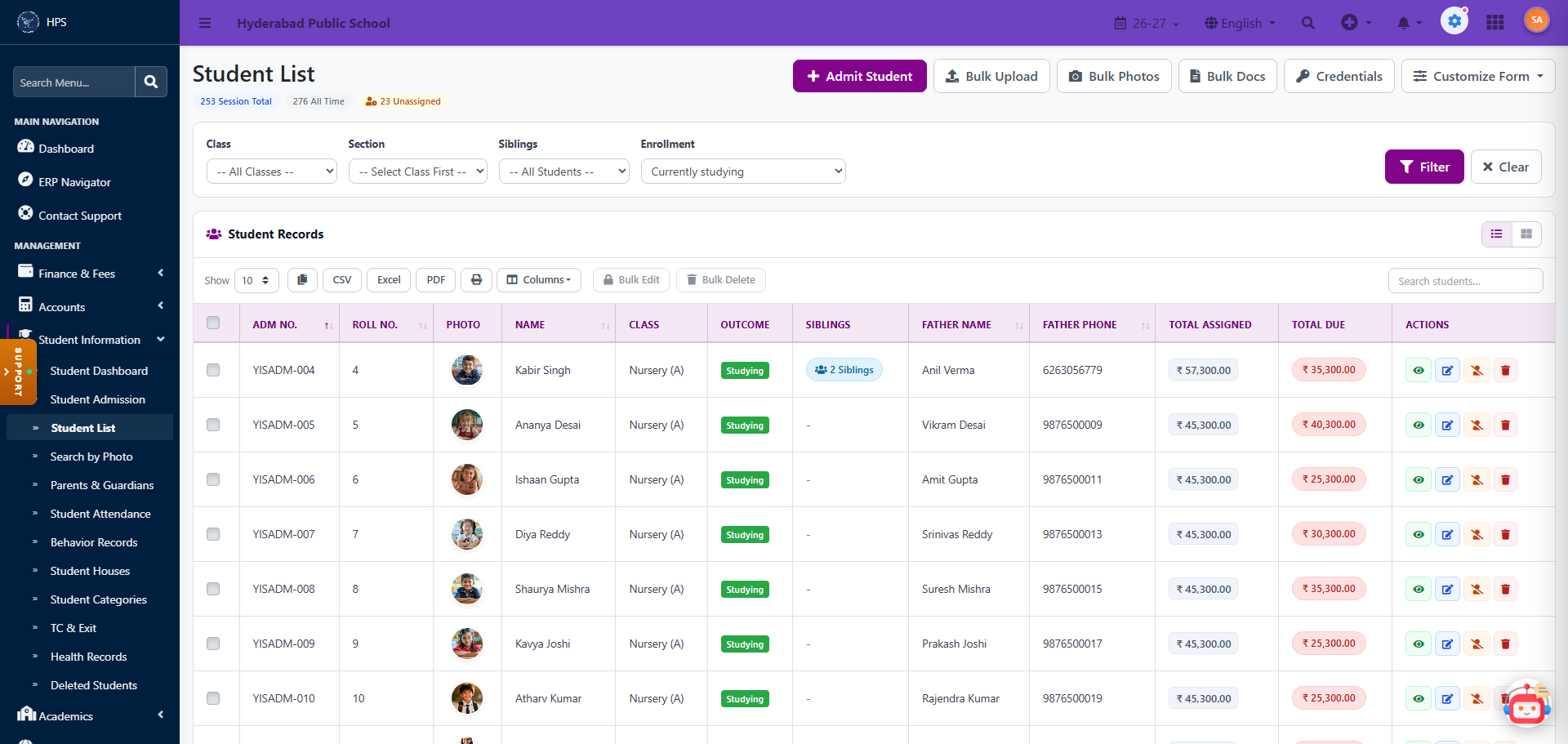
School Fee and Attendance Software: How to Save Time, Money and Staff Effort
Fees and attendance are the two jobs that never stop in a school. Every day someone marks registers, and every month someone chases dues, writes receipts and reconciles cash. School fee management software and an attendance system take over this repetitive work, so your staff can spend their time on students and parents instead of paperwork.
The hidden cost of paper registers and Excel
Manual systems do not look expensive because nobody sends a bill for them. The cost shows up in other ways:
- A clerk spends hours each week copying attendance into a file.
- Fee receipts are written by hand, and a lost receipt book becomes a dispute.
- Defaulters are found at the end of the month, when it is hard to collect.
- Parents call the office to ask if a fee was received or a child was absent.
- The principal waits for a report that someone has to prepare by hand.
Add up the staff hours, the errors and the delayed collections over a year, and the manual way is rarely the cheap one.
How school fee management software works
You set up the fee structure once: class-wise fees, instalments, transport and activity fees, concessions and late fines. After that, the system does the rest.
- Automatic fee calculation. The right amount is shown for each student, including sibling or staff-ward concessions.
- Instant receipts. Receipts are generated with the school’s own numbering and can be sent by SMS, WhatsApp or email.
- Online payment. Parents pay by UPI, card or net banking, and the payment is recorded against the right student.
- Reminders. Parents get automatic messages before the due date and after it.
- Dues and collection reports. Daily collection, class-wise dues and defaulter lists are ready at any time.
The result is faster collection and no more cash counting arguments at the end of the day.
How an attendance management system works
Teachers mark attendance on a phone or computer in under a minute per class. The system records it for the day and can do more:
- Send an alert to parents when a child is absent.
- Show monthly attendance percentage for every student.
- Track staff attendance and late arrivals.
- Support biometric or RFID devices if your school uses them. Ask the vendor which devices work with their system.
Parents know their child reached school safely, and the management gets accurate figures without asking for them.
What you save: time, money and manpower
Time. Receipts, reminders and reports that used to take hours are produced by the system. Attendance data is entered once and is available everywhere.
Money. Faster collection improves cash flow, errors and leakages fall, and you spend less on paper, printing and repeated data entry.
Manpower. One person can often do the work that needed several, so staff can be moved to tasks that need judgement, such as parent relations and academic support.
How much you save depends on the size of your school and how well the system is set up, so measure your own numbers before and after. Count the hours your office spends on fees and attendance in a normal month, and compare after three months of use.
How to set up fee and attendance software in four steps
- Clean your data. Prepare a simple sheet of students, classes, parents’ phone numbers and fee amounts. Correct phone numbers matter most, because reminders and alerts depend on them.
- Build the fee structure. Enter each class’s fees, instalments and concessions. Check ten students’ totals by hand against the system.
- Train two or three staff members. Start with the accounts desk and one teacher per section.
- Run both systems for one month. Keep the old register and the new system side by side, compare the results, then switch fully.
Mistakes to avoid
- Starting without clean parent phone numbers
- Skipping staff training
- Not telling parents about the new payment and alert system in advance
- Choosing a system that cannot handle your actual fee rules
- Forgetting to ask about data backup
Choosing the right software
Look for flexible fee rules, a parent app or SMS alerts, simple attendance entry for teachers, clear reports, and a vendor who offers training and support. Our guide, How to Choose School ERP Software in India, gives a complete checklist. For the bigger picture, read our complete guide to school management software.
See it in action
Honest School ERP is built to help schools manage in a smarter way and reduce time, money and manpower. Contact us for a demo using your own school’s fee structure.
Email: Info@honestschoolerp.com · Website: www.honestschoolerp.com · Phone: 7780555875
Frequently asked questions
What is school fee management software?
It is software that sets up fee structures, collects payments, issues receipts, sends reminders and reports dues.
Can parents pay fees online?
Most systems support UPI, cards and net banking. Ask the vendor which payment gateway they use and what charges apply.
Does attendance software need special devices?
No. Teachers can mark attendance on a phone or computer. Biometric and RFID devices are optional.
Can I use fee software without the other modules?
Many vendors let you start with fees and attendance and add exams, communication and other modules later.
